Content automation for visual marketing content: the six levels


Search for “content automation” and most of what you find is about text: AI writers, social schedulers, SEO tools and workflow connectors. That is a real category, but the problem most enterprise brands struggle with is visual. They need thousands of product images, ads and videos that are right for every SKU, market, channel and retailer.
Automating that is a different problem from automating a blog post, and “automate it” covers a series of steps, each with its own requirements and risks. This guide explains what content automation means for visual marketing content and sets out a practical framework, the six levels of visual content automation, for deciding how far each of your workflows can go.
Content automation is the use of software and AI to produce, adapt, check and deliver content with less manual work. For visual marketing content, it means generating on-brand images and videos for every product, market, channel and retailer from codified product data, brand rules and compliance rules, with people setting the creative direction.
What is content automation?
“Content automation” is used for at least four different things:
| When people say content automation, they mean | Typical tools | What gets automated |
|---|---|---|
| Workflow automation | Integration and workflow platforms | Moving content and tasks between systems |
| Text generation | AI writing and SEO tools | Drafting articles, posts, product descriptions |
| Asset management and distribution | DAMs, CMSs, publishing tools | Storing, tagging, resizing and publishing finished assets |
| Visual production | Creative automation and content configuration platforms | Producing the images and videos themselves |
This article is about the fourth. Content automation is also easy to confuse with marketing automation. Marketing automation decides who receives which message and when. Content automation produces what those messages contain, so marketing automation depends on what production can deliver.
Why automating images is harder than automating text
A paragraph can be paraphrased a hundred ways and still be correct. A product image cannot. For visual marketing content, “correct” includes:
- Product truth: the exact SKU, variant, shade, size and finish.
- Packaging: the current artwork, legible labels, the right language on pack.
- On-pack and in-ad claims: what is allowed in each market, and the legal lines that go with it.
- Physical plausibility: consistent lighting, perspective, reflections and scale.
- Retailer and channel specifications: backgrounds, angles, crops, sizes and file formats.
- Brand codes: composition, color, typography and the things a brand never does.
Marketing teams are already using AI for some of this. In a Gartner survey of 418 marketing leaders, published in 2025, 77% of organizations that had adopted generative AI used it for creative development tasks. Yet Gartner reported that only 44% of marketers realize significant benefits from generative AI, and the survey found that “gaps remain in their ability to generate on-brand, commercially publishable media at scale.”
Wrong product information is expensive. In Salsify’s 2026 consumer research, 45% of shoppers said they had returned an online purchase because of incorrect or misleading information. And the volume is growing fast. In Adobe research across more than 1,600 marketers, published in June 2025, 71% expected content demand to grow fivefold or more by 2027.
Near-zero tolerance for error at rapidly growing volume is why “just use AI” doesn’t work for visual content. The useful question is how far to automate each workflow, and on what conditions.
The six levels of visual content automation
The automotive industry faced a similar question about self-driving cars and answered it with a shared vocabulary. SAE International’s standard J3016, most recently revised in September 2026, defines six levels of driving automation, from Level 0 (no driving automation) to Level 5 (automated driving under all conditions in which humans can drive), and it is useful because it describes what the system does and what the person must still do at each level. It also introduces two ideas that carry over well to content. The operational design domain is the set of conditions a feature is designed to work in. The fallback is what happens when something goes wrong or the conditions are no longer met.
Applied to visual content, the levels look like this.
| Level | Name | What the system does | Where the person sits | What the system must know |
|---|---|---|---|---|
| 0 | Manual | Stores files | Makes every asset | Nothing |
| 1 | Assisted | Single tasks: cropping, background removal, generative fill | Makes every asset, with help | The task at hand |
| 2 | Partial | Produces variants from templates and data feeds | Reviews every output (in the loop) | Layouts and slot rules |
| 3 | Conditional | Generates and checks variants within a defined domain; flags exceptions | Handles flagged exceptions (on the loop) | Product truth, brand rules, market rules |
| 4 | High | Generates, checks and resolves its own exceptions within the domain | Owns rules and art direction; audits samples (over the loop) | All of the above, plus how to handle new data and changes |
| 5 | Full | Any product, any market, any brief, without direction | Not involved | Everything, including taste |
Level 0: Manual
Every asset is shot, retouched, resized and localized by hand, by an in-house studio or agencies. Software stores and distributes the files. Quality depends entirely on people, and cost grows in line with volume.
Level 1: Assisted
Tools help with single tasks: automatic cropping, background removal, generative fill, a quick resize. Designers are faster, but they still make every asset. Most marketing teams have reached Level 1 somewhere.
Level 2: Partial
Templates and data feeds produce many variants at once: every size, language and price for a campaign. The system does the assembly, but a person still reviews every output because the system knows only layouts, not whether the product, claim or market rules are right. Output grows quickly, and so does the review queue. At Level 2, reviewers become the bottleneck.
The line that matters: from Level 2 to Level 3
In SAE’s framework, the decisive line falls between Level 2 and Level 3. Below it, the human is driving, even with assistance. Above it, the system is driving while the feature is engaged. The same is true for content. Up to Level 2, quality depends on a person checking every asset. From Level 3, the system produces content that is correct by construction within its domain, people handle the exceptions, and the brand keeps accountability.
Crossing that line is impossible as long as the rules live in reviewers’ heads. A system can only apply what it knows: the product, the brand rules and the market rules, in a form it can apply.
Level 3: Conditional
Within a defined domain (say, the SKUs that have validated 3D digital twins, the markets whose claims are encoded, and the channels whose specifications are known), the system generates on-brand variants and checks them against the rules. When something falls outside the domain, such as a product without a twin or a claim that hasn’t been approved for a market, it flags the exception to a person.
The risk at Level 3 is the one the human-factors researcher Lisanne Bainbridge described in her 1983 paper “Ironies of Automation”: the more a process is automated, the harder it becomes for the remaining person to stay alert enough to catch the rare problem. That is why Level 3 only works when the system flags exceptions explicitly, rather than asking people to spot errors in a stream of mostly correct output. There is more on this in why human review alone doesn’t make automation safe.
Level 4: High
Within its domain, the system also handles its own exceptions. New product data or artwork is normalized as it arrives. When a retailer changes its image specifications, the change is applied to every affected asset. And when the system cannot produce something correctly, it falls back safely: it doesn’t publish, or it keeps the last approved version. That is the content equivalent of what SAE calls a minimal risk condition.
People don’t disappear at Level 4. Their work moves up to the art direction, the brand rules and the definition of the domain, and they audit samples rather than approving every file.
Level 5: Full
Level 5 would mean any product, market or brief, with no creative direction from people. It doesn’t exist for driving at commercial scale, and for brands it isn’t the goal. Art direction and taste are the brand. The aim is to automate everything that should follow from those decisions, while people keep making them.
What the system must know: your operational design domain
In driving, the operational design domain describes where a feature is designed to work: certain roads, speeds, weather and times of day. For content, defining the domain explicitly is what makes Level 3 and 4 possible. It has four parts:
- Product truth. Which products can the system show accurately? In practice, this means products with 3D digital twins (exact geometry, materials and packaging artwork, connected to your product information and artwork systems so they stay current) or approved master assets whose product depiction is fixed. Twins are the strongest source of truth, because they let the system show the product in any scene or angle.
- Brand rules. Art direction, composition, color, typography, logo use and the things the brand never does, encoded rather than written in a PDF.
- Market rules. Approved claims, legal lines, age gates and regulatory requirements per country and category.
- Channel and retailer specifications. Formats, sizes, backgrounds, angles and metadata for each destination.
Anything inside the domain can be automated at a high level. A product with no twin or approved master, or a claim not yet approved for a market, falls back to people. The domain grows as you add products, rules and markets, which is how automation scales safely rather than all at once.
Classify workflows, not companies
SAE’s levels describe a feature that is engaged, not a whole vehicle; a car can offer Level 2 assistance on one road and none on another. The same applies to brands. Asking “how automated is our content?” is less useful than asking it per workflow. A typical enterprise might look like this:
| Workflow | Realistic level | Why |
|---|---|---|
| Hero campaign key visual | 1–2 | New creative idea; art direction is the point |
| Campaign adaptations across formats and markets | 3–4 | Rule-bound; follows from the approved hero |
| E-commerce image sets per retailer | 3–4 | High volume, clear specifications, product truth required |
| Packaging change across existing assets | 4 | A data update when products are digital twins |
| Seasonal and promotional variants | 3 | Repeatable within known rules |
| New product launch, first assets | 2 | Twin and rules being created |
A quick self-assessment for each workflow:
- Is the product shown from a source of truth (a twin or approved master), or recreated each time?
- Are the brand and market rules written down in a form a system can apply?
- Does a person review every output, or only flagged exceptions?
- What happens when something changes upstream: a pack, a claim, a retailer spec?
- Is there a defined fallback when the system can’t produce something correctly?
The answers tell you which level each workflow is at today, and what you need to build to move it up one level. Moving one level at a time is safer than jumping. Skipping from Level 1 to Level 4 without encoding rules produces Level 2 with more to review.
What Level 3 looks like in practice
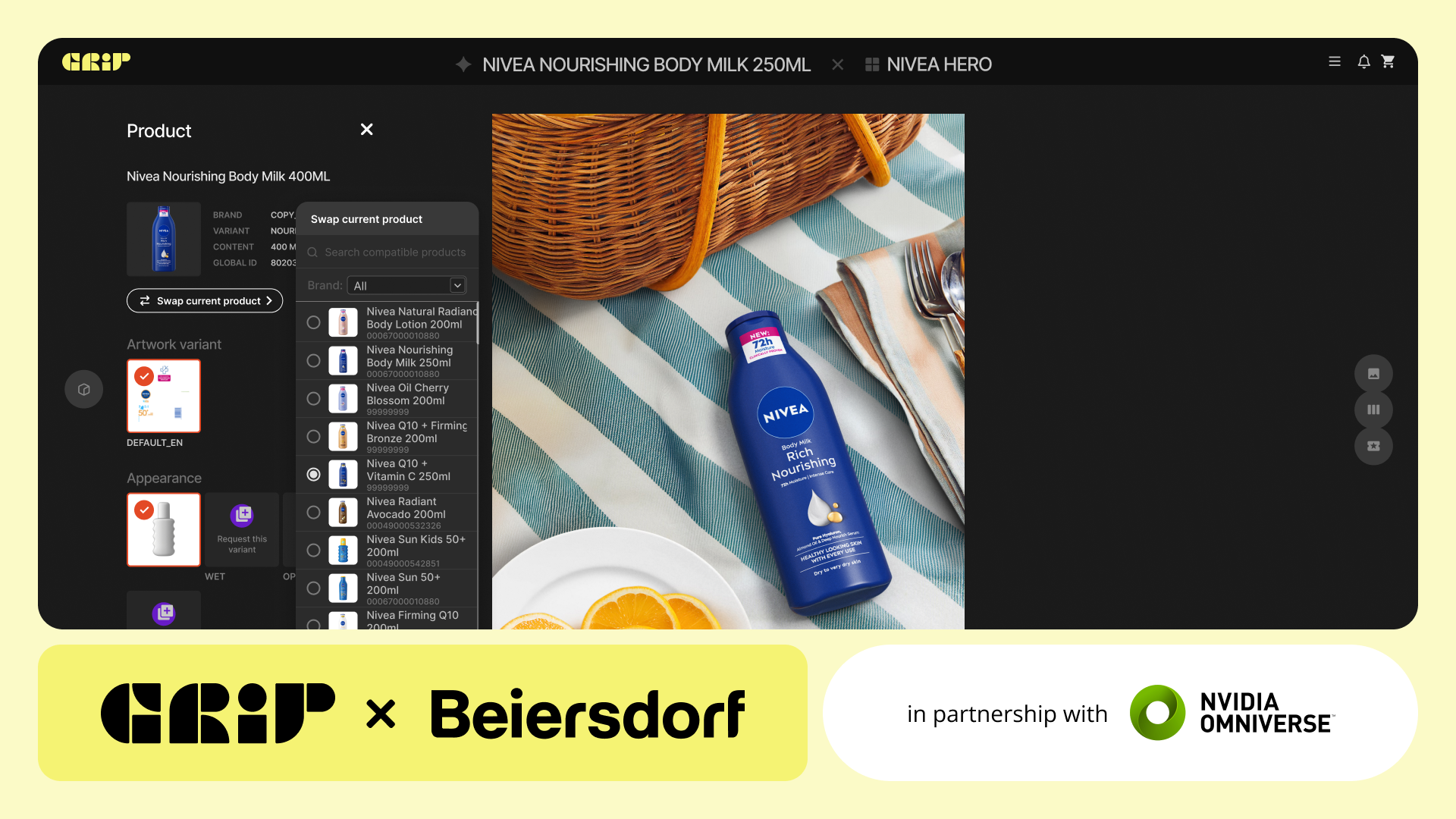
Moët Hennessy, the wine and spirits division of LVMH, needed luxury-quality visuals for more than 25 maisons in over 70 markets, each with its own cultural nuances. Its teams now create, adapt and deploy visuals from 3D product renders through Grip, and have delivered over 3 million content variations globally, at twice the speed. At Opella, Grip centralized e-commerce content production, which gives local teams room to move fast without losing control. Beiersdorf combined digital twins of its portfolio with AI-enabled content configurators to localize advertising for brands including NIVEA and Eucerin. In each case the volume comes from automating the workflows that follow rules, while people stay in charge of the creative decisions.
Grip is the enterprise automation platform for publishable marketing content at scale, built by INDG. It turns a brand’s product portfolio into digital twins and encodes art direction, brand and compliance rules in its Brand Center; together they set the domain in which content can be automated. Within that domain, Grip generates on-brand variations for every SKU, market and channel through three propositions: Digital Shelf, for product page and e-commerce imagery generated from digital twins of the actual product; Adaptations, for compliant variations of a master asset across markets and formats; and Originals, for new on-brand content from a brief without a physical shoot, with people setting the creative direction. Because the twins and the encoded rules belong to the brand, each product and market added widens the domain for the next one. Agents handle product and artwork data, and Precision-AI checks accuracy at element level. If you are comparing tools, the guide to creative automation explains the different kinds of platforms and how to evaluate them; for the bigger picture, see what is a content supply chain (and how to fix it).
Moving each workflow up a level
Content automation for visual marketing content works in levels, and the important step is the one from Level 2 to Level 3, where the work of getting content right moves from people checking every asset to a system that knows the product, the brand and the market rules, while the brand keeps accountability. Define the domain, encode the rules, give the system a safe fallback, and move each workflow up one level at a time.
To see which of your workflows could move up a level, talk to the Grip team.
Frequently asked questions
What is the difference between content automation and marketing automation?
Marketing automation decides who receives which message and when: emails, journeys, segments and triggers. Content automation produces the content those messages contain. The two work together, but marketing automation can only send what content production has made.
Can AI automate image and video production, not just text?
Yes, but visuals are a harder problem than text. A product image has to show the exact product, packaging, label and claims for each market, with consistent lighting and to each retailer’s specifications. Reliable visual automation therefore depends on structured product data, such as 3D digital twins, and on brand and compliance rules the system enforces.
Will content automation replace creative teams?
No. It removes repetitive production work such as resizing, versioning and localizing. Art direction, concepts and brand judgment stay with people, and at higher levels of automation their decisions are encoded once and applied to every asset the system produces.
What level of content automation should an enterprise brand aim for?
It depends on the workflow, not the company. High-volume, rule-bound work such as localized packshots, e-commerce image sets and campaign adaptations can run at Level 3 or 4. Hero campaigns and new creative concepts usually stay at Level 1 or 2, with automation assisting people.
What does a content automation platform need to know about my products?
Enough to show them correctly without a person checking every detail: geometry, materials and packaging artwork (often as a 3D digital twin), approved claims and legal lines per market, brand and art direction rules, and the specifications of each channel and retailer.
References
- SAE International, J3016_202609, “Taxonomy and Definitions for Terms Related to Driving Automation Systems for On-Road Motor Vehicles,” revised September 2026.
- SAE International, “SAE revises levels of driving automation,” June 2021.
- Lisanne Bainbridge, “Ironies of Automation,” Automatica, Vol. 19, No. 6, 1983.
- Raja Parasuraman, Thomas B. Sheridan and Christopher D. Wickens, “A model for types and levels of human interaction with automation,” IEEE Transactions on Systems, Man, and Cybernetics, Part A, Vol. 30, No. 3, 2000.
- Gartner, “Gartner Survey Reveals Over a Quarter of Marketing Organizations Have Limited or No Adoption of GenAI for Marketing Campaigns,” 18 February 2025.
- Gartner, “Marketers Must Get Better at Training AI for On-Brand Content Creation” (Q&A with Andrew Frank), 17 March 2025.
- Salsify, “Salsify Consumer Research 2026,” press release, 21 January 2026.
- Adobe, “Adobe research finds demand for content will grow 5x by 2027,” Adobe for Business blog, 16 June 2025 (research across more than 1,600 marketers).
About Grip
As INDG’s software branch, Grip is a visual content configuration engine powered by NVIDIA Omniverse that makes it possible for large enterprises to use AI at scale. It breaks existing content down into configurable modules, allowing brands to swap out any element, including products, talent, accessories, and branding assets, with complete control and accuracy. Grip integrates with existing workflows to automate product swaps and generate endless, hero-quality content variation, without disrupting established content production processes.