Packshots at scale: automated packshot production


A packshot is an image of a product in its packaging, usually on a plain white background, that shows the product clearly and nothing else. In e-commerce it is the main image on the product page. In television advertising, it is a close-up of the product being advertised.
For one product, a packshot is a photograph. Across a portfolio of thousands of SKUs, packshots behave more like data. GS1, the organization behind the barcode, treats them that way in its product image standard: every image is keyed to the product’s GTIN and labelled by face, angle and state. This guide covers what a packshot is, the main types, the GS1 rules, why packshot photography breaks at enterprise scale, and how automated packshot production works.
What is a packshot?
The meaning of packshot has shifted with the channel. Collins defines the pack shot in television advertising as a close-up of the product being advertised, usually so that viewers can register its logo and packaging. In retail and e-commerce, the word now usually means a clean studio image of the product on a white background, and GS1 uses “standard pack shot” for the image of a product’s front face.
Packshots sit alongside other kinds of product imagery:
- Packshot: the product alone on a plain background, so the shopper sees exactly what they are buying.
- Hero image: the first image a shopper sees, often a packshot on a product page, sometimes optimized for small screens.
- Lifestyle image: the product in use or in a setting, to show context, scale or mood.
- Campaign key visual: an art-directed image built around the product for advertising.
Product pages usually need several of these, and retailers set their most detailed rules for the packshot.
Types of packshots
Most product pages and retailer feeds draw on a standard set of packshot types:
- Front packshot. The front face of the pack, shot straight on or at a slight elevation. This is the main image on most product pages.
- Angled or three-quarter packshot. The product turned to the left or right to show depth and a second face.
- Back-of-pack and side packshots. Ingredients, nutrition panels, usage instructions and legal text, which shoppers check before buying.
- Top and bottom views. Useful for lids, closures, dispensers and products sold flat.
- In-pack and out-of-pack. The product in its packaging, the product on its own, or both.
- Multipack and case packshots. Bundles, outer cases and display units, mainly for wholesale and B2B listings.
- Range or group shots. Several variants together, for category pages and campaigns.
- 360 packshots. A sequence of frames that the shopper can rotate.
- Mobile ready hero images. Simplified main images designed to be legible as small thumbnails.
The GS1 product image standard
GS1’s Product Image Standard, Release 5.1, ratified in September 2026, is the closest thing the industry has to a shared packshot specification. Retailers set their own requirements on top, but many align with it. Its main rules:
- High-quality masters. Brands store high-quality master images for each product and derive every other format and size from them.
- Size and format. Web images are 900 to 2,400 pixels, and high-resolution images 2,401 to 4,800 pixels. Masters are stored as compressed TIFF files and shared as JPEG or PNG.
- Background and framing. A white or transparent background, with a clipping path recommended, and the product filling about 95% of the canvas.
- Shooting rules. Batch-specific information such as best-before dates is removed, and products are preferably shot at a 15-degree elevation, or flat on for items such as blister packs.
- In or out of pack. The choice follows how the product is sold in store, and when in doubt, both are shot and labelled.
The file name carries the structure. It starts with the 14-digit GTIN, followed by codes for the image type, the facing, the angle and the state:
| Element | Examples of codes |
|---|---|
| Image type | A web image, B web image with supporting props, C and D high-resolution versions, H mobile ready hero image, E 360 image |
| Facing | 1 front, 2 left, 3 top, 7 back, 8 right, 9 bottom |
| Angle | C centre, L left, R right, N no plunge angle |
| State | 1 in packaging, 0 out of packaging, A case, P pallet or display |
So a file named with the GTIN followed by A1C1 is a web image of the front face, shot from the centre, in its packaging. Optional suffixes add a language, an end date, a pack version and, since this release, an AI indicator. The standard says “AI” is added to the name of any image created on or after 2 August 2026 that AI generated or significantly modified, to reflect local regulation, while technical edits such as resizing and colour correction don’t need it. GS1 also describes 3D models as files from which product still shots can be extracted, which is how computer-generated packshots are made.
Mobile ready hero images
On a phone, a standard packshot shrinks to a thumbnail where the shopper can barely read the brand, let alone the size. Mobile ready hero images were developed to fix that. The guidelines came out of research by the University of Cambridge’s Engineering Design Centre with Unilever and were published through GS1 in 2018. The current GS1 guideline, Release 2.2 from August 2026, applies them to everyday replenishment products viewed on screens smaller than a tablet.
A mobile ready hero image answers four questions at thumbnail size: who the brand is, what the product is, which variety it is, and how much is in the pack. The guideline recommends the University of Cambridge’s See-It test, and suggests blurring a large image as a quick way to simulate a thumbnail seen on a phone at arm’s length. Unilever said in Cambridge’s 2018 announcement that its Magnum sales rose 24% in an eight-week test with one retailer, and that more than 80 retailers in over 40 countries had taken up the format. The Grocer reported in 2017 that some retailers said their own tests didn’t show the same level of impact, so treat the uplift as one brand’s result rather than a benchmark.
360 packshot images
A 360 packshot is a sequence of frames taken as the product rotates. GS1 calls for at least 24 frames and up to 360, a minimum size of 400 by 400 pixels, clockwise rotation and, preferably, a white background. Spins with several rows of frames, shot from different heights, count as 3D images in its terms.
The evidence on extra views is more mixed than vendors suggest. In a 2013 study of a women’s clothing retailer in Information Systems Research, Prabuddha De, Yu Jeffrey Hu and Mohammad Saifur Rahman found that shoppers’ use of zoom was associated with fewer returns, while viewing alternative photos was associated with more returns and lower net sales. Views that let shoppers inspect detail and views that only add variety seem to work differently, which is a reason to plan an image set around the questions shoppers ask in each category. Ecommerce product images covers that in more detail.
Why packshot photography breaks at scale
A single packshot is easy to produce. The difficulty is keeping thousands of them correct.
The first problem is that the GTIN doesn’t always change when the pack does. Under GS1’s guideline on consumer product variants, minor artwork changes, seasonal or time-limited promotions, added or removed languages and small dimension changes can all keep the same GTIN. The barcode stays the same while the front of the pack changes. That is why GS1 added an optional pack version field to its file names. Without one, a retailer can hold a correctly named packshot of a pack that no longer exists.
The second problem is how often packs change. In Mintel’s data reported in November 2023, relaunches in new packaging made up 27% of European food and drink launches, up from 15% in 2013, and packaging redesigns made up 31% of UK launches. In L.E.K. Consulting’s 2021 survey of 425 packaging decision-makers at consumer goods brands sold in the US, only 3% expected no change to their packaging within two years. AIM, the European Brands Association, said in March 2026 that artwork changes can take up to three years and cost more than €5,000 per SKU, citing frequent and overlapping EU labelling rules. GS1 Austria’s 2026 image guideline lists the changes that should trigger a new image, from redesigns and new pack sizes to seasonal flavours, special editions, claim changes and on-pack promotions.
Regulation adds its own changes. In England, stock made before October 2025 with volume promotions on products high in fat, sugar or salt could be sold until 30 September 2026. Since then, any such pack printed with a volume offer for other parts of the UK must state clearly and prominently that the offer does not apply in England. Wales has restricted volume promotions on these products since 26 March 2026, and Scotland since 1 October 2026. Each change can mean new artwork and new packshots for the affected range.
Multiplied together, these factors add up quickly. As an illustration, 2,000 SKUs with four facings each, in and out of pack, across three pack versions a year, add up to 48,000 packshots a year before any retailer-specific format, 360 spin or mobile ready hero image.
How automated packshot production works
There are three main routes to producing packshots without a manual shoot for each image.
| Route | How it works | Strengths | Limits |
|---|---|---|---|
| Automated studio | Turntables, robotic rigs, fixed lighting and automatic background removal | Fast capture of physical products, consistent light | Needs the physical product, and a new pack version means a new shoot |
| CGI from 3D models and artwork | A 3D model of the pack is combined with the approved artwork, and images are generated from any view | Every facing, angle and pack version from one model, before the product exists | The model and artwork data have to be accurate and current |
| AI editing of photos | Background removal, clean-up and retouching of existing photos | Quick improvement of an existing library | Limited to the views that were shot; generative edits should carry the GS1 AI indicator |
Automated studios speed up photography itself. Orbitvu, an equipment maker, says its Alphashot 360 captures 36 stills in under two minutes and can shoot 150 products a day. These figures come from vendors and depend on the product, but they show how far capture can be standardized.
Computer-generated packshots change what triggers new work. A 3D model of the pack, built from its structural design and combined with the approved artwork, can generate every GS1 facing and angle, in and out of pack, for every market’s artwork. When the artwork changes, the model is updated and the views are generated again, so the packshots for a new pack version can be ready before the first units are printed. L’Oréal said in June 2025 that its CREAITECH content platform already uses computer-generated 3D product images and aims to scale them with NVIDIA AI Enterprise.
AI editing helps with libraries that already exist, by cleaning backgrounds, removing batch codes and standardizing crops. Generative edits that go beyond technical corrections should now carry the GS1 AI indicator, and they can’t create views that were never shot. For what AI can and can’t do with product imagery, see AI product photography.
Packshots for ecommerce: one master, many retailer specs
Each retailer adds its own packshot requirements on top of GS1’s: background colour, minimum and maximum dimensions, how much of the frame the product fills, file names and the number of images. A brand selling through ten retailers in several markets has to meet all of them from the same masters. Amazon product image requirements goes through one retailer’s rules in detail. For packshot production, retailer specifications work best as rules applied when images are produced and checked, rather than as instructions a retoucher reads for each file.
What to look for in packshot automation
- A source of truth for each pack version. Every packshot traces to a GTIN and a pack version, with the artwork it shows.
- GS1-compliant output. Facings, angles, states, sizes and file names follow the standard, including the AI indicator where needed.
- Every view from one source. Front, angled, back, side, in-pack, out-of-pack, multipack and 360 from the same model or shoot.
- Retailer rules built in. Each retailer’s requirements are applied and checked automatically.
- Change handling. When artwork changes, the affected packshots are identified and replaced.
- Label accuracy. Text on pack comes from the approved artwork, not from retouching or a generative model.
- Integration. Connections to artwork management, PIM, DAM and syndication, so new packshots reach retailers without manual uploads.
What it looks like in practice
Grip automates digital shelf content for more than 100,000 SKUs at global brands. In beauty, where curved glass, foil and embossing are hard to photograph, brands use digital twins to show premium packaging accurately and to update labels, textures and finishes without a reshoot. Opella centralized its e-commerce content production with Grip, giving local teams room to move fast while keeping brand and compliance control.
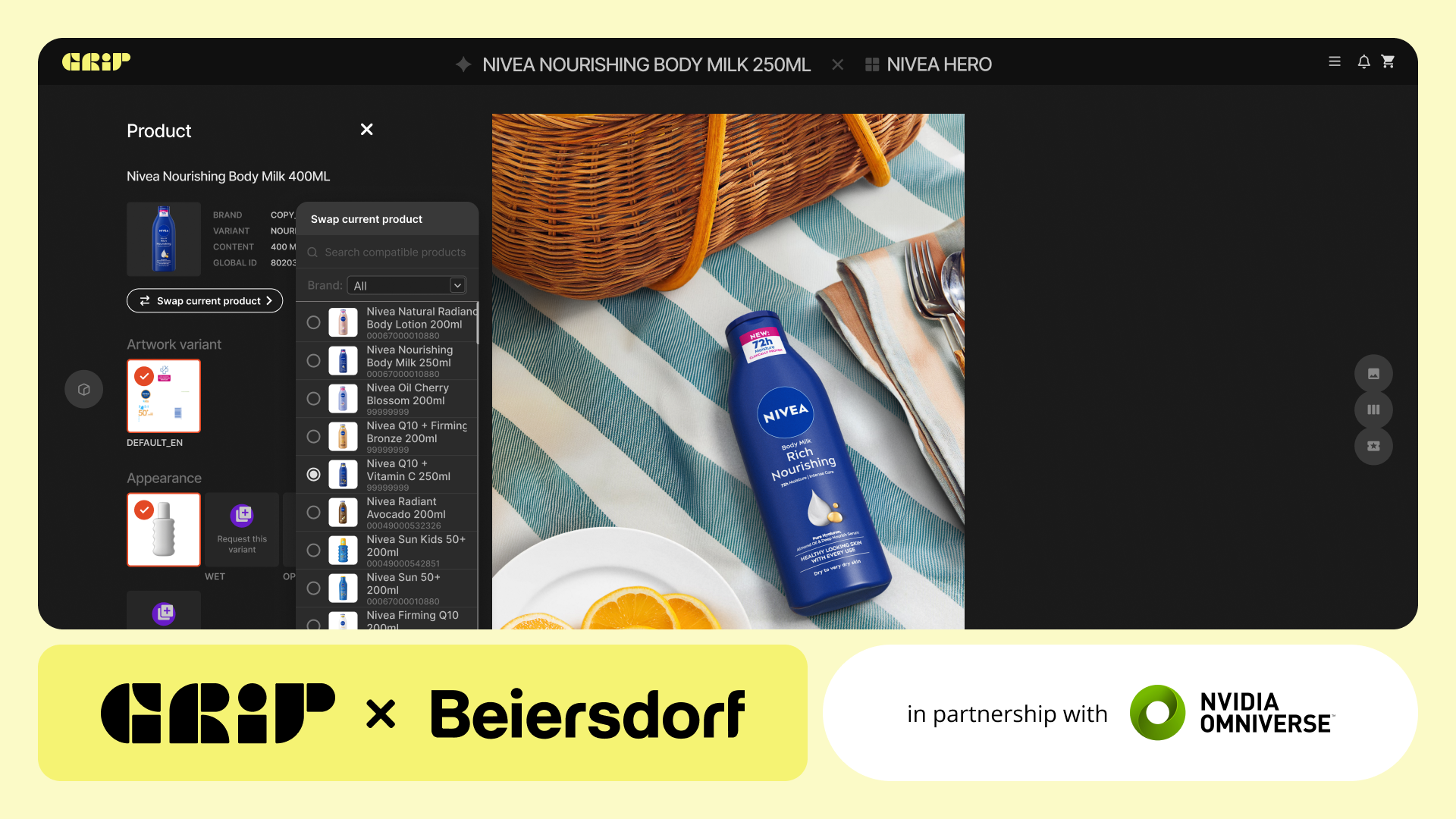
Grip is the enterprise automation platform for publishable marketing content at scale, built by INDG. For packshots, it turns each SKU into a digital twin that captures its materials, dimensions and lighting. Digital Shelf generates hero shots, alternate views and promo variants from the twin and automates multipacks and packaging updates at SKU level, and every asset is validated against GS1, Amazon, Walmart and Carrefour requirements. Art direction and retailer standards are encoded in its Brand Center and applied by default, so a packshot made for one market matches the ones made for the others. Grip connects to artwork management, PIM and DAM systems, and every twin stays available for the next pack change or launch.
Where to start
Pick one category and export its packshots from your DAM or PIM. Check each one against three questions: does it show the current pack version, does it meet GS1 and each retailer’s requirements, and which views are missing. The gaps show how much of the library is out of date, and the pack changes planned for the next year show how much more will be. For the wider production model, read content production at scale, or talk to the Grip team.
Frequently asked questions
What does packshot mean?
In television advertising, a pack shot is a close-up of the product being advertised, usually so that viewers can register its logo and packaging. In e-commerce and retail it now usually means a clean studio image of the product on a white background.
What is the difference between a packshot and a lifestyle image?
A packshot shows the product alone on a plain background so shoppers can see exactly what they are buying. A lifestyle image shows the product in use or in a setting, to show context, scale or mood. Product pages usually need both, with the packshot as the main image.
What is a 360 packshot?
A 360 packshot is a sequence of images of the product taken as it rotates, which the shopper can spin on the product page. GS1’s standard calls for at least 24 frames and up to 360, with a minimum size of 400 by 400 pixels and a white background recommended.
What are the GS1 standards for packshots?
GS1’s Product Image Standard asks brands to store high-quality master images, keyed to the GTIN, from which other formats are derived. It sets file names based on the GTIN plus codes for image type, facing, angle and state, a white or transparent background, a product that fills about 95% of the canvas, and web images of 900 to 2,400 pixels. Release 5.1 also adds an AI indicator to the file name of images created on or after 2 August 2026 that AI generated or significantly modified.
How do you automate packshot production?
There are three main routes: automated photo studios with turntables and robotic rigs, computer-generated packshots from 3D models and packaging artwork, and AI editing of existing photos. At enterprise scale, generating packshots from 3D digital twins built from the artwork lets a pack change become a data update rather than a reshoot.
References
- Collins English Dictionary, “pack shot,” via Dictionary.com.
- GS1, Product Image Standard, Release 5.1, September 2026.
- GS1, Consumer Product Variant in GDSN Implementation Guideline, Release 1.1, November 2024.
- GS1, Mobile Ready Hero Images Guideline, Release 2.2, August 2026.
- University of Cambridge, “Newly developed image guidelines will improve mobile shopping experience worldwide,” 7 February 2018.
- The Grocer, “Mobile ready hero images: the quest for a global standard,” 4 December 2017.
- Prabuddha De, Yu Jeffrey Hu and Mohammad Saifur Rahman, “Product-Oriented Web Technologies and Product Returns: An Exploratory Study,” Information Systems Research 24(4), 2013.
- FoodNavigator, on Mintel data on food and drink launches and packaging relaunches, 13 November 2023.
- L.E.K. Consulting, Brand Owner Packaging Study, 2021.
- AIM, European Brands Association, “Infographic on key facts: Changing packaging artwork,” 26 March 2026.
- GS1 Austria and ECR Austria, Guideline for Product Images, version 3.0, June 2026.
- UK Government, restricting promotions of products high in fat, sugar or salt by location and by volume price: implementation guidance.
- Welsh Government, The Food (Promotion and Placement) (Wales) Regulations 2025 (2025 No. 395).
- Scottish Government, Food (Promotion and Placement) (Scotland) Regulations 2025: implementation guidance.
- Orbitvu, Alphashot 360.
- L’Oréal, “L’Oréal and NVIDIA collaborate to supercharge beauty with next-generation AI,” 11 June 2025.
About Grip
As INDG’s software branch, Grip is a visual content configuration engine powered by NVIDIA Omniverse that makes it possible for large enterprises to use AI at scale. It breaks existing content down into configurable modules, allowing brands to swap out any element, including products, talent, accessories, and branding assets, with complete control and accuracy. Grip integrates with existing workflows to automate product swaps and generate endless, hero-quality content variation, without disrupting established content production processes.